
Server room air conditioning should be based on measured and forecast IT heat output, equipment inlet conditions and required resilience. Separate the room from general office comfort cooling, manage hot and cold air paths, monitor temperature and humidity at rack level, and plan what happens during equipment, power or communications failure.
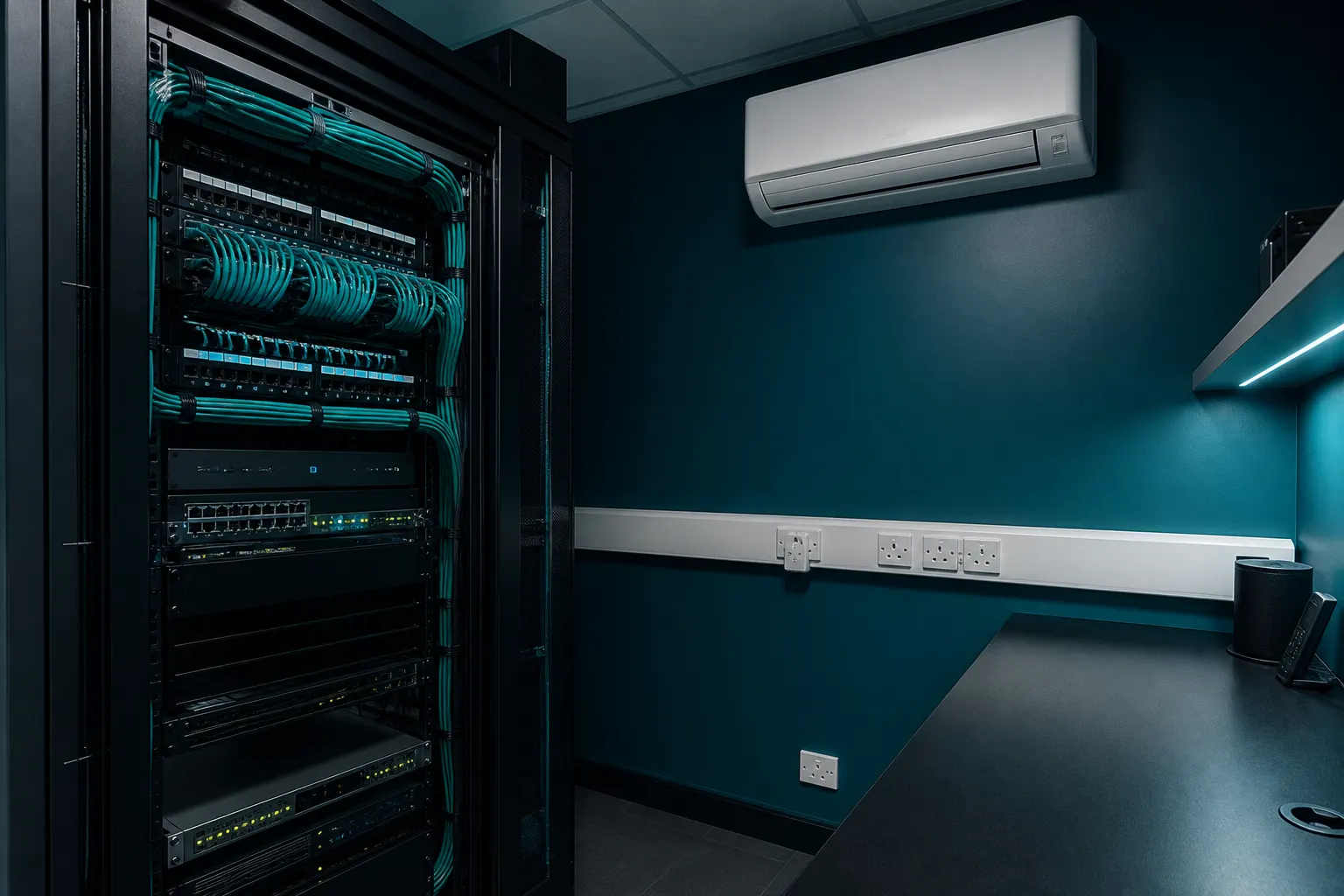
Define the IT load and operating limits
Server cooling is a continuous process load rather than an occasional comfort requirement. Record the present electrical draw, rack layout, expected expansion, network equipment, uninterruptible power supplies and other heat sources. Nameplate ratings can be conservative, so measured demand and a justified growth allowance produce a clearer design basis.
Confirm the environmental limits and recommendations for the installed IT equipment rather than choosing an arbitrary room thermostat value. Sensors at equipment inlets are more informative than one wall sensor. Rapid changes, local hot spots and conditions after a cooling failure all matter.
- Measure load over representative busy periods.
- Map rack inlet and exhaust temperatures at several heights.
- Document growth plans and decommissioned equipment.
- Agree alarm thresholds and escalation contacts.
Control airflow before increasing capacity
Poor airflow can cause hot spots even when nominal cooling capacity is ample. Blank unused rack spaces, seal avoidable cable openings and arrange supply and return paths so cooled air reaches equipment inlets rather than short-circuiting back to the cooling unit.
Hot-aisle or cold-aisle layouts and containment can improve separation where the room scale supports them. Cable bundles, shelving and poorly placed wall units can obstruct circulation. Airflow changes should be verified with temperature measurements, not judged only by the average room reading.
Design resilience as a complete chain
Redundant cooling units do not provide resilience if they share one electrical supply, condensate route, controller or inaccessible outdoor location. Define which failures the system must tolerate, then review power, controls, alarms, pumps, communications and maintenance isolation against that requirement.
The response time matters because a small room with a dense IT load can heat quickly after cooling stops. Automatic duty rotation, lead-lag control and remote alarms may be appropriate, but they must be commissioned and periodically tested. A written response plan should identify who can safely shut down non-critical equipment.
Operate and maintain without losing protection
Maintenance should be possible while the required level of cooling remains available. Clean heat exchangers, filters and drains, inspect refrigerant systems and test alarms. Temporary cooling used during service needs suitable electrical supply, condensate management and enough verified capacity.
Trend data can reveal rising inlet temperatures, frequent compressor cycling or declining performance before an alarm becomes urgent. Keep changes to racks and IT equipment in the cooling change-control process. If the building's relevant air conditioning systems exceed 12 kW in combined effective rated output, assess TM44 obligations with an accredited adviser.
Frequently asked questions
Can office air conditioning cool a server room overnight?
It may not be designed for continuous, year-round process cooling or independent out-of-hours control. Check operating limits, low-ambient capability, resilience and what happens when the office system is switched off.
Is one wall temperature sensor enough?
Usually not for a rack-based room. Monitor air entering critical equipment at several positions and heights, then use trend and alarm data to detect hot spots.
Does installing two cooling units create full redundancy?
Not automatically. Shared power, controls, drainage, outdoor equipment or insufficient capacity during maintenance can remain single points of failure.
Should the server room be kept extremely cold?
Excessive cooling can waste energy without improving reliability. Use the IT manufacturer's environmental requirements and recognised data-centre guidance, with attention to inlet conditions and rate of change.
Core buying guides
Start with these high-intent guides, then dig into the rest of the library.
Related guides
Sources and further reading
How this guide was prepared
This guide was written by the Local AC Installers Editorial Team. We compare official guidance, legislation and established consumer information, separate general information from project-specific advice, and show publication dates and sources. We do not accept installer accreditation claims at face value.